


GPS Offline Maps & Navigation
3.9500.00 Reviews
App Specs
- Version
- 2.06
- Updated On
- License
- Free
- Downloads
- 5,000,000+
- Developer
- RCSTUDIOAPPS
- Categories
- Travel & Local
- Platform
- Android
Screenshots
 Analysis by AppCompare
Have you ever been on a road trip and suddenly found yourself in a no-signal zone? Or maybe you've been hiking in a remote area and desperately needed to check your location? That's where GPS Offline Maps & Navigation comes to the rescue. This app is a game changer for anyone who loves to explore without depending on a constant internet connection.
Exploring the Features of GPS Offline Maps & Navigation
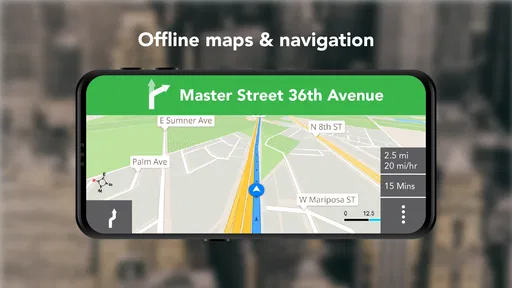
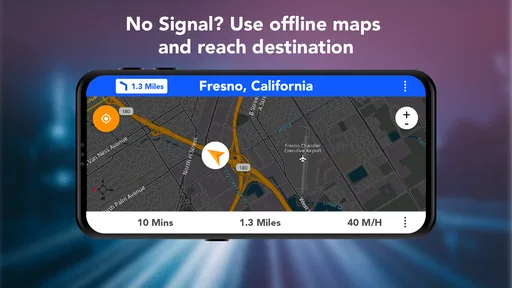
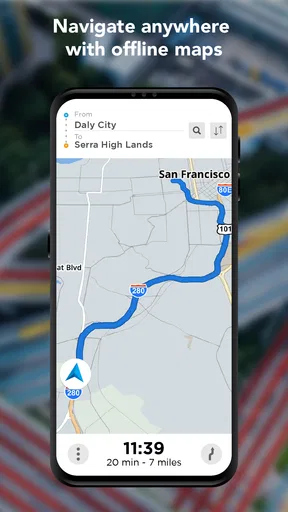
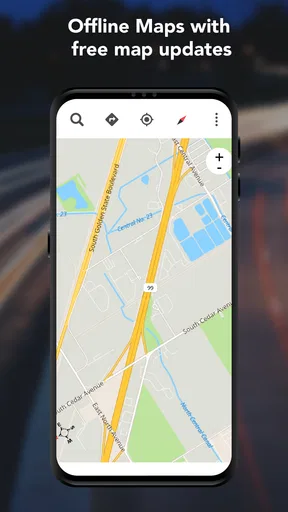
First things first, this app is a lifesaver when it comes to offline navigation. You can download maps of entire countries or specific areas and use them without any internet connection. It's like having a trusty old map, but with all the perks of modern technology. The app covers a wide range of locations globally, so whether you're in the middle of nowhere or in a bustling city, you're covered.
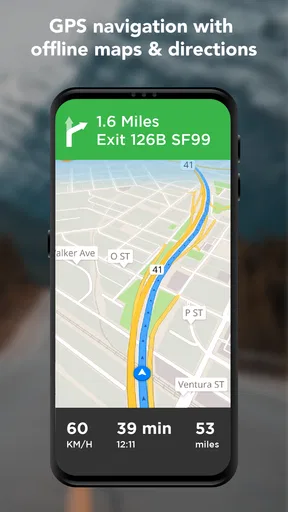
The interface is super user-friendly. You don’t need to be tech-savvy to get the hang of it. Simply open the app, search for your destination, and let the app guide you there. The voice navigation feature is also top-notch. It’s clear, precise, and doesn’t leave you second-guessing your next turn. Plus, it supports multiple languages, so it's perfect for travelers from different backgrounds.
Why Choose GPS Offline Maps & Navigation?
One of the main reasons to choose this app is its reliability. Unlike other apps that abruptly stop working as soon as you lose internet connectivity, GPS Offline Maps & Navigation keeps you on track. It’s like having a dedicated co-pilot who never takes a break.
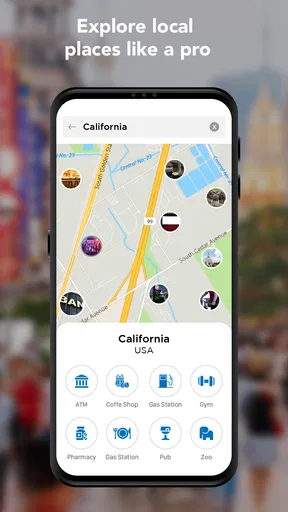
Another cool feature is the app's integration with various points of interest. Whether you're looking for a gas station, a restaurant, or a tourist attraction, the app has got you covered. You can even filter these points based on your preferences, which is pretty neat.
For those who love customizing their experience, the app allows you to choose between different map styles. Whether you prefer a classic map look or a more modern design, there's something for everyone. Plus, the app regularly updates its map database, ensuring you have the latest information at your fingertips.
Real-World Testing and Experience
During my test drives with the app, I found it incredibly accurate and reliable. The routes suggested were efficient, and the app recalibrated quickly whenever I took a wrong turn. It's rare to find an app that responds so swiftly without hiccups.
Worth Reading Before You Choose

EA SPORTS FC Mobile 26 Is a Bigger Football Game, but It Takes Time

Flipboard Shows What News Apps Must Do Beyond the Feed

Switching to Android Auto Means Rethinking Your Driving Routine

Google Calendar Makes a Crowded Week Easier to Manage

Ludo King Makes the Most of the Minutes Between Plans

Baby Panda World Brings Quick Play to Modern Phones, but Its Game Library Feels Busy
One of the surprising benefits was how much battery it saved. Since it doesn’t rely heavily on internet data, my phone's battery lasted much longer than it usually does with other navigation apps. This is a huge plus for anyone who’s planning long trips and doesn’t want to be tethered to a charger.
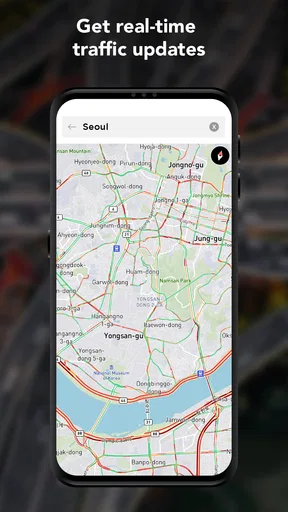
The app also provides traffic updates, which is a blessing in disguise. It helps you avoid congested routes and get to your destination faster. It's like having a personal traffic assistant who's always looking out for you.
Final Thoughts
In a world where connectivity can be unpredictable, having a reliable tool like GPS Offline Maps & Navigation is essential. It’s perfect for travelers, adventurers, or anyone who simply wants a backup when their regular navigation app fails.
It's not just about reaching your destination; it's about enjoying the journey without the stress of losing your way. With its intuitive design, comprehensive map coverage, and reliable offline capabilities, this app is a must-have on your smartphone. So, the next time you plan a trip, make sure this app is your travel buddy. You won't regret it!
Pros
- Reliable offline navigation feature.
- User-friendly interface for easy access.
- Comprehensive maps with detailed POIs.
- Supports multiple languages for global use.
- Regular updates for map accuracy.
Cons
- Consumes significant storage space.
- Limited real-time traffic updates.
- No voice guidance in some regions.
- Occasional GPS signal loss in tunnels.
- Battery drain during prolonged use.
FAQs for GPS Offline Maps & Navigation
Does GPS Offline Maps & Navigation work without an internet connection?
Yes, GPS Offline Maps & Navigation is designed to work without an internet connection. You must download the maps of the areas you plan to visit beforehand. This feature is particularly useful for travelers or those in areas with limited connectivity, ensuring you can navigate without relying on data services.
How accurate is the navigation with GPS Offline Maps & Navigation?
The app provides highly accurate navigation by utilizing GPS signals from satellites. While accuracy can depend on environmental factors like tall buildings or dense forests, generally, it offers reliable turn-by-turn directions. Regular updates ensure that maps and routes are as precise and up-to-date as possible.
What features are included in GPS Offline Maps & Navigation?
This app includes a variety of features such as turn-by-turn voice guidance, speed limits, points of interest, and route planning. It also offers customizable map layers and offline search capabilities. These features are designed to enhance your navigation experience, whether you're driving, cycling, or walking.
Is GPS Offline Maps & Navigation available for both Android and iOS?
Yes, GPS Offline Maps & Navigation is available for download on both Android and iOS platforms. You can find the app in the Google Play Store for Android devices and the Apple App Store for iOS devices. This cross-platform availability ensures a wide range of users can access its features.
Are there any costs associated with using GPS Offline Maps & Navigation?
The app can be downloaded for free, but it may offer in-app purchases or premium subscriptions for additional features. These might include more detailed maps, ad-free experiences, or advanced navigation options. It's advisable to review the pricing details within the app to understand any costs that may apply.


